

tavily_search, tavily_extract, tavily_crawl, tavily_map, tavily_research). The Kiro CLI uses the same config.
Remote MCP server (recommended)
Install Kiro and get a Tavily API key.1
Add the server
Click Add to Kiro and confirm the install.Or run Kiro: Open user MCP config (JSON) from the command palette and add:To scope Tavily to one project, use
~/.kiro/settings/mcp.json
.kiro/settings/mcp.json instead. It overrides the user file.2
Authenticate
In the Kiro panel, click Authenticate next to 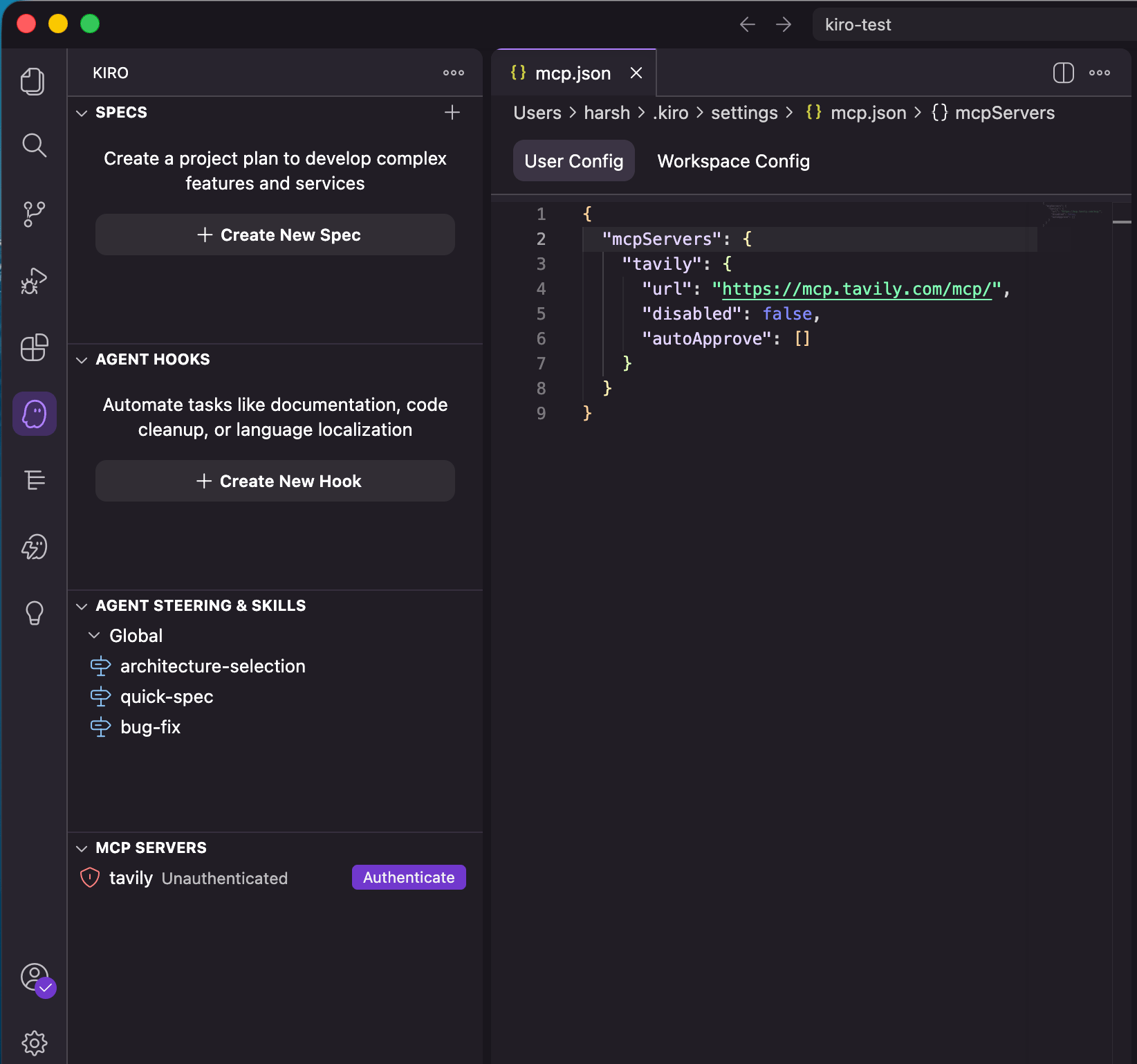
tavily under MCP SERVERS, then sign in to Tavily in your browser.3
Try it
In Kiro chat, ask:
Use Tavily to find the official documentation for numpy.Approve the tool call. Tavily tool calls and source links in the response confirm it worked.
* or tool names to autoApprove:
Use an API key
To skip OAuth, send your key in anAuthorization header. Kiro expands ${TAVILY_API_KEY} from your environment, so the key can stay out of the config file.
TAVILY_API_KEY when Kiro prompts, or add it under Mcp Approved Env Vars in settings.
Keyless access
For limited Search and Extract access without signing in, add"headers": {"X-Tavily-Access-Mode": "keyless"} to the server entry. See keyless access.
Local MCP server
Run the Tavily MCP package locally. It still calls Tavily’s API.1
Set your API key
Install Node.js 20 or later and set
TAVILY_API_KEY in your environment.2
Add the server
Add this to
~/.kiro/settings/mcp.json, or to .kiro/settings/mcp.json for one project. Approve TAVILY_API_KEY when Kiro prompts.3
Verify
Save the file and confirm
tavily-local connects under MCP SERVERS.Kiro CLI
The CLI reads the samemcp.json files, so both setups above work unchanged. Check the connection:
/mcp shows server status and /mcp auth tavily re-runs the sign-in. Run /mcp logout tavily first to switch accounts.
Example usage
Use Tavily in one concrete, useful way that shows why it’s valuable in this workspace.
Use Tavily to research how other open-source projects structure their CDK stacks for this pattern, then draft a spec for ours and cite the sources.
Troubleshooting
tavilyshows Unauthenticated. Click Authenticate and finish sign-in. If you use anAuthorizationheader, check thatTAVILY_API_KEYis set and approved.tavilyisn’t listed. Turn on MCP support in Kiro’s settings. If Kiro reportsInvalid mcp.json format, add a top-level"mcpServers": {}to the file.- A tool call fails. Open the Output tab in the Kiro panel and choose Kiro - MCP Logs.
- OAuth uses the wrong key. Tavily uses the key named
mcp_auth_default, so rename a key in the Tavily dashboard. See API key selection.